

Achieving Core Web Vitals perfect scores has become the holy grail of website optimization in the modern digital landscape. These metrics aren't just vanity numbers; they directly impact your search rankings, user experience, and ultimately, your bottom line. If you're serious about dominating search results and providing an exceptional user experience, understanding and perfecting these vital measurements is non-negotiable.
What Are Core Web Vitals and Why Do They Matter
Core Web Vitals are a set of specific factors that Google considers crucial in determining a webpage's overall user experience. Introduced as ranking signals, these metrics measure real-world user experience regarding loading performance, interactivity, and visual stability.
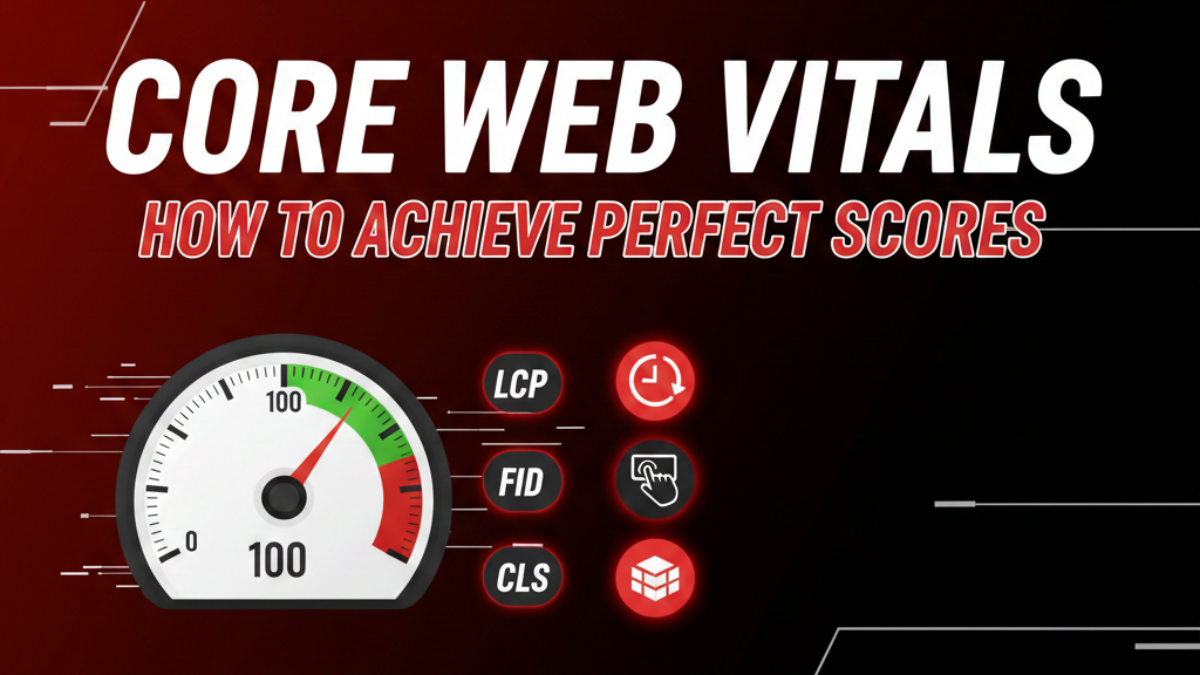
The three pillars of Core Web Vitals are:
Largest Contentful Paint (LCP): Measures loading performance. To achieve Core Web Vitals perfect scores, your LCP should occur within 2.5 seconds of when the page first starts loading.
First Input Delay (FID) or Interaction to Next Paint (INP): Measures interactivity. Pages should have an FID of less than 100 milliseconds or an INP of less than 200 milliseconds.
Cumulative Layout Shift (CLS): Measures visual stability. Pages should maintain a CLS of less than 0.1.
When users experience fast-loading, responsive, and visually stable pages, they stay longer, engage more, and convert better. Google rewards this positive experience with higher rankings, creating a powerful incentive to pursue Core Web Vitals perfect scores.
Understanding Largest Contentful Paint (LCP)
LCP represents the time it takes for the largest visible content element to load on your screen. This could be a hero image, video thumbnail, or large text block. Users perceive this moment as when your page becomes useful.
How to Perfect Your LCP Score
Optimize Your Images: Images are typically the largest contextual elements. Compress them without sacrificing quality using modern formats like WebP or AVIF. Implement responsive images with srcset attributes so users download only the size they need.
Upgrade Your Hosting: Server response time dramatically affects LCP. Invest in quality hosting with solid-state drives (SSD), adequate resources, and servers geographically close to your audience. A slow server makes Core Web Vitals' perfect scores impossible, regardless of other optimizations.
Implement Critical CSS: Inline critical above-the-fold CSS directly in your HTML head. This eliminates render-blocking resources and allows browsers to display content immediately. Defer non-critical CSS to load after the initial paint.
Preload Important Resources: Use resource hints like <link rel="preload"> for critical assets. If your LCP element is an image, preloading it tells the browser to prioritize its download, shaving precious milliseconds off your loading time.
Remove Render-Blocking JavaScript: JavaScript files that block rendering prevent your LCP element from displaying. Use async or defer attributes, split large JavaScript bundles, and eliminate unnecessary third-party scripts.
Use a Content Delivery Network (CDN): CDNs cache your content on servers worldwide, reducing the physical distance data travels to reach users. This geographical advantage can be the difference between good scores and Core Web Vitals perfect scores.
Mastering Interaction to Next Paint (INP)
INP has replaced FID as Google's preferred interactivity metric. It measures the latency of all interactions throughout a page's lifecycle, not just the first one. A responsive page acknowledges user actions immediately, creating a smooth, frustration-free experience.
Strategies for Perfect INP Scores
Minimize JavaScript Execution Time: Heavy JavaScript processing blocks the main thread, delaying interactions. Break long tasks into smaller chunks using techniques like code splitting and lazy loading. Avoid complex computations during user interactions.
Optimize Third-Party Scripts: Analytics tools, advertising networks, and social media widgets often execute heavy JavaScript. Audit every third-party script and remove non-essential ones. For necessary scripts, load them asynchronously and consider using facade techniques that delay loading until user interaction.
Reduce DOM Size: Browsers struggle with massive Document Object Models. Keep your HTML lean, aim for fewer than 1,500 nodes with a depth under 32 levels. Excessive DOM complexity increases processing time for every interaction.
Use Web Workers: Offload intensive JavaScript operations to web workers, which run in background threads. This keeps your main thread free to respond immediately to user interactions, a crucial factor in achieving Core Web Vitals perfect scores.
Implement Request Animation Frame: For JavaScript-triggered animations or visual updates, use requestAnimationFrame to synchronize with the browser's refresh cycle. This ensures smoother interactions and reduces unnecessary processing.
Achieving a Flawless Cumulative Layout Shift (CLS)
CLS measures visual stability by quantifying how much content unexpectedly shifts during loading. We've all experienced clicking a button only to have an ad load above it, causing us to click something unintended.
Eliminating Layout Shifts
Reserve Space for Images and Videos: Always specify width and height attributes on media elements. This tells browsers exactly how much space to reserve before the content loads, preventing shifts when images or videos finally appear.
Avoid Injecting Content Above Existing Content: Never insert banners, ads, or notifications above content users are already viewing unless in response to user interaction. If you must display dynamic content, reserve space for it or place it below the fold.
Use Transform Animations: When animating elements, use CSS transform properties (translate, scale, rotate) instead of properties that trigger layout recalculation, like top, left, or margin. Transform animations don't cause layout shifts and perform better.
Properly Size Ad Slots: Reserve the largest expected space for advertisements before they load. Use minimum height values to prevent collapse when ads fail to fill. Consider using sticky ad units that don't push content.
Load Web Fonts Carefully: Font swapping causes text to shift when custom fonts load. Use the font-display: swap property with fallback fonts that match the size of your custom fonts. The Font Loading API gives you even more control over this process.
Tools for Measuring and Monitoring Core Web Vitals
Achieving Core Web Vitals perfect scores requires continuous measurement and refinement. Multiple tools provide insights:
Google PageSpeed Insights: Offers both lab and field data, providing recommendations for improvement. It's your starting point for understanding current performance.
Chrome DevTools: The Performance panel and Lighthouse audits give detailed breakdowns of what's slowing your pages. Use the Coverage tool to identify unused CSS and JavaScript.
Google Search Console: The Core Web Vitals report shows real-world performance data from actual users, categorizing URLs as "Good," "Needs Improvement," or "Poor."
WebPageTest: Provides incredibly detailed loading waterfalls and filmstrip views, helping you understand exactly when and why issues occur.
Chrome User Experience Report (CrUX): Access real-world data from Chrome users visiting your site, representing the metrics Google actually uses for ranking.
The Real-World Impact of Perfect Scores
Websites that achieve Core Web Vitals perfect scores consistently report remarkable improvements. Bounce rates decrease significantly; users stay when pages load quickly and respond immediately. Conversion rates increase as friction disappears from the user journey. Time on site extends because the experience feels effortless.
From an SEO perspective, perfect scores give you a competitive advantage. When two websites offer similar content quality, Google favors the one with superior Core Web Vitals. In competitive niches, this advantage can mean the difference between first-page visibility and obscurity.
Moving Forward with Confidence
Pursuing Core Web Vitals perfect scores isn't a one-time project; it's an ongoing commitment to excellence. As you add new features, integrate third-party tools, or update content, monitor how these changes affect your metrics.
Start with the biggest opportunities. Run Page Speed Insights and tackle the issues marked as high impact first. Compress images, upgrade hosting, defer non-critical resources, and stabilize your layouts. Each improvement compounds, gradually pushing your scores toward perfection.
Remember that perfect scores serve a larger purpose: creating exceptional experiences for real people visiting your website. When you optimize with users in mind, the metrics naturally improve, search rankings rise, and your business thrives. The journey to Core Web Vitals perfect scores is ultimately a journey toward putting your users first, and that's always worth the effort.
Frequently Asked Questions: FAQ’s
1. What are Core Web Vitals, and why are they important?
Core Web Vitals are Google’s performance metrics that measure loading speed, interactivity, and visual stability. They are important because they directly affect SEO rankings and user experience.
2. What are the three main Core Web Vitals metrics?
The three metrics are Largest Contentful Paint (LCP), Interaction to Next Paint (INP), and Cumulative Layout Shift (CLS), which measure loading performance, responsiveness, and visual stability.
3. What is considered a perfect Core Web Vitals score?
A perfect score generally means LCP under 2.5 seconds, INP under 200 milliseconds, and CLS below 0.1, indicating excellent website performance.
4. Do Core Web Vitals affect Google rankings?
Yes, Core Web Vitals are part of Google’s ranking factors and influence how websites appear in search results, especially when competing pages have similar content quality.
5. How can I improve my Largest Contentful Paint (LCP)?
You can improve LCP by optimizing images, using faster hosting, enabling caching, reducing render-blocking scripts, and using a Content Delivery Network (CDN).
6. What causes poor Interaction to Next Paint (INP) scores?
Slow INP scores are often caused by heavy JavaScript, excessive third-party scripts, and unoptimized page interactions that delay responsiveness.
7. How can I fix Cumulative Layout Shift (CLS) issues?
Fix CLS by setting fixed dimensions for images and ads, preventing late-loading elements from shifting content, and ensuring stable page layouts.
8. Which tools can measure Core Web Vitals performance?
Tools such as Google PageSpeed Insights, Google Search Console, Lighthouse, and Chrome User Experience Report help measure and analyze Core Web Vitals.
9. How often should Core Web Vitals be monitored?
Websites should monitor Core Web Vitals regularly, especially after design updates, plugin installations, or content changes that may affect performance.
10. Can small websites also achieve Core Web Vitals perfect scores?
Yes, even small websites can achieve perfect scores by optimizing images, reducing scripts, improving hosting performance, and maintaining a lightweight website structure.