

Your analytics show steady visitors, yet the phone stays quiet, and the inbox stays empty. This is the frustrating reality behind why NYC businesses are losing website leads. The cause is rarely one dramatic failure. It is usually a mix of poor traffic quality, confusing messaging, slow pages, weak calls to action, technical errors, missing trust signals, broken tracking, or slow follow-up. In this guide, you will learn how to spot each problem, how a simple website audit separates one cause from another, and what to fix first. Finding the real problem is almost always more useful than redesigning the site or raising your ad budget on a guess.
Why Are NYC Businesses Losing Website Leads Even When Traffic Is Growing?
Traffic, enquiries, qualified leads, and paying customers are four different things. Traffic is anyone who loads a page. An enquiry is someone who submits a form, calls, or sends a message. A qualified lead is an enquiry from someone who fits your services, location, and budget. A customer is a lead who actually buys. Each step loses people, and each loss has a different cause.
Traffic volume alone is a poor measure of success. A Brooklyn accounting firm could attract thousands of visitors from a blog post about tax deadlines, yet almost none of them need an accountant in New York. The chart looks healthy while the business gains nothing.
Visitors also arrive without finding what they need for ordinary reasons:
- The search intent behind their query does not match the page they land on.
- An ad promises a service or price that the landing page never mentions.
- The page is built for someone further along in the buying journey than the visitor is.
NYC adds its own pressure. Competition is dense, and people compare several providers in a few minutes, often on a phone while commuting. If your page does not answer "Do you do what I need, and how do I reach you?" quickly, they leave and try the next result.
For that reason, an NYC business website should be judged on relevant visitors and qualified website enquiries rather than vanity metrics such as raw sessions or page views. Website traffic and conversions need to be read together.
7 Website Problems That Cause Businesses to Lose Potential Customers
Each problem below follows the same pattern: what goes wrong, how to identify it, and how to fix it.
1. Slow-Loading Pages Frustrate Potential Customers
- What goes wrong: Heavy images, bloated scripts, and cheap hosting make pages crawl. Visitors on mobile data, which is common on subway platforms and in crowded buildings, often leave before the page finishes loading.
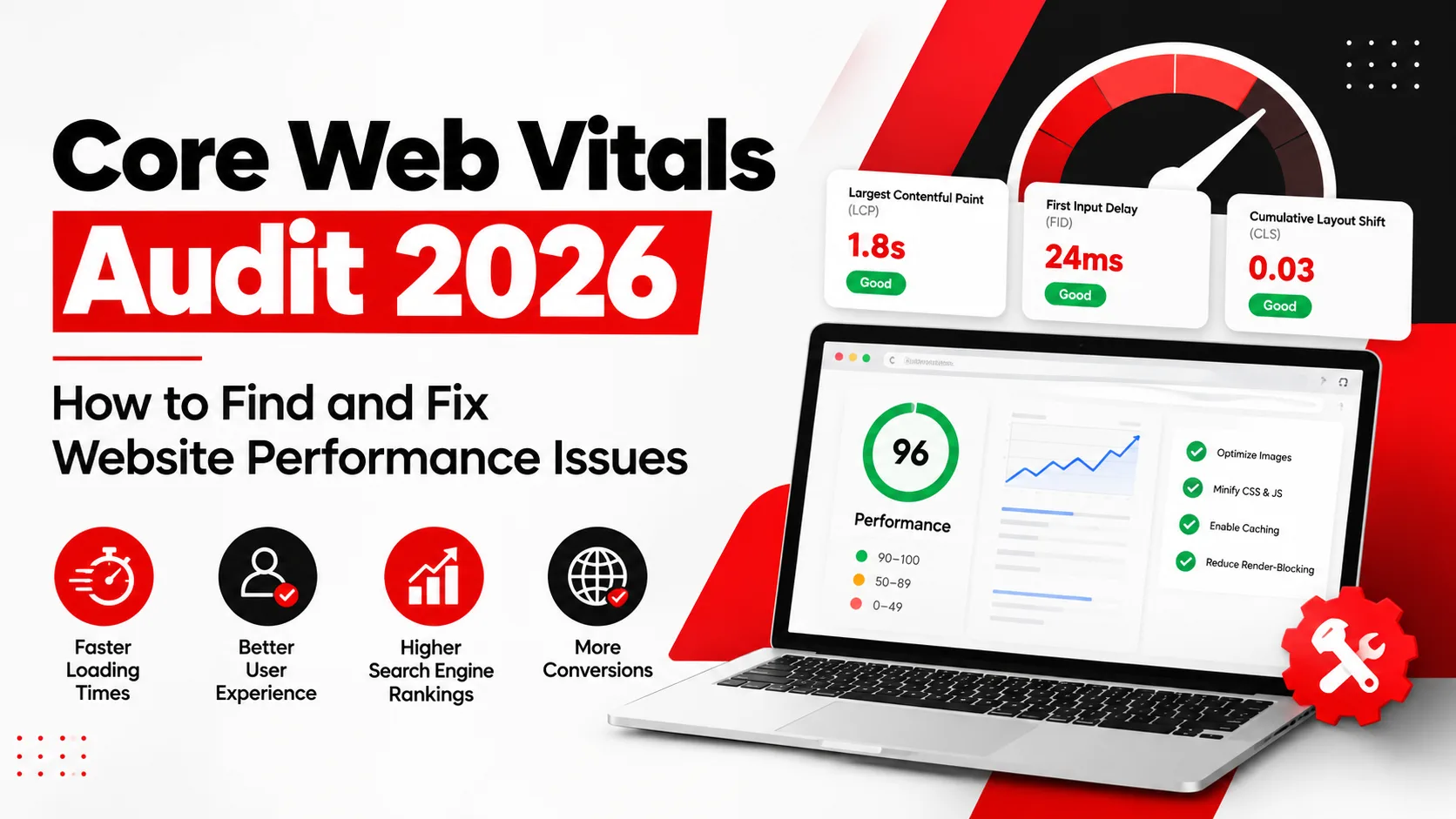
- How to identify it: Run your most important landing pages through Google's PageSpeed Insights, which shows lab data and, where available, real-user field data. Look at the Core Web Vitals: Largest Contentful Paint (loading), Interaction to Next Paint (responsiveness), and Cumulative Layout Shift (visual stability). Test service and contact pages, not just the homepage.
- How to fix it: Compress and properly size images, remove unused plugins and scripts, enable caching, and review your hosting. Fix the pages that receive paid or organic traffic first.
2. Poor Mobile Experience Makes Contacting Your Business Difficult
- What goes wrong: Menus are hard to use, text is tiny, buttons sit too close together, and the phone number is plain text instead of a tappable link.
- How to identify it: Open your site on a real phone, not just a resized desktop browser. Try to call, fill in the form, and find your address with one thumb. Check Google Analytics 4 for large gaps between desktop and mobile conversion performance.
- How to fix it: Use readable font sizes, generous tap targets, a visible click-to-call button, and short forms with the correct keyboard types for email and phone fields.
3. Weak Headlines and Unclear Service Pages Confuse Visitors
- What goes wrong: A headline like "Excellence in Everything We Do" says nothing. Service pages that skip scope, process, service areas, or pricing approach leave visitors guessing.
- How to identify it: Show your page to someone outside your industry for five seconds. Ask what you sell, who it is for, and what to do next. If they cannot answer, neither can a new visitor.
- How to fix it: Lead with a specific headline, such as "Commercial Cleaning for Midtown Offices." Then explain what is included, who you serve, how the process works, and what happens after someone contacts you.
4. Complicated Contact Forms Create Unnecessary Friction
- What goes wrong: Long forms, mandatory fields nobody needs, confusing error messages, and multi-step flows with no progress indicator all push people away. Some forms simply fail to submit.
- How to identify it: Submit your own form on desktop and mobile with valid and invalid entries. Note every point of confusion. Compare how many people start the form with how many finish it, if you track that.
- How to fix it: Ask only for what you need to respond, usually name, email, or phone, and a short message. Use clear validation messages, a visible confirmation, and an alternative such as a phone number or booking link.
5. Missing Trust Signals Make Visitors Hesitate
- What goes wrong: Visitors cannot tell whether your business is real, experienced, or reliable. Anonymous pages with no address, no named people, and no proof of past work feel risky.
- How to identify it: Review your key pages as a sceptical stranger. Can you find a real address or service area, a phone number, who runs the business, and evidence of past work?
- How to fix it: Add genuine testimonials you have permission to publish, relevant case studies, licenses or certifications you actually hold, clear service details, and real photos. Never invent reviews or claim credentials you cannot support. Fabricated trust signals damage credibility and can create legal problems.
6. Weak Calls to Action Leave Visitors Unsure What to Do
- What goes wrong: Buttons labelled "Submit" or "Learn More" do not tell people what happens next. Pages with no clear action, or with five competing ones, stall decisions.
- How to identify it: Look at each key page and ask what single action you want. Is it visible without scrolling on mobile? Does the button wording describe the outcome?
- How to fix it: Use specific actions such as "Request a Website Audit," "Book a Consultation," or "Send Your Project Details." Repeat the main action after major sections, and keep secondary actions visually quieter.
7. Broken Tracking and Missed Follow-Ups Hide Lead Losses
- What goes wrong: A form may submit but never send a notification email. Analytics events may fire twice or not at all. Calls may go unrecorded. Meanwhile, enquiries wait days for a reply, and the prospect has already hired someone else.
- How to identify it: Verify four things: form submissions arrive in the right inbox or CRM, phone-click events appear in Google Analytics 4, key events match your own records, and notification emails are not landing in spam. Then compare analytics numbers with your actual enquiry log.
- How to fix it: Repair the notification and tracking setup, assign one owner for incoming enquiries, and set a response-time target your team can realistically meet.
How to Identify Website Lead Problems With a Website Audit
A structured website audit helps you separate four kinds of trouble: traffic problems (wrong visitors), technical problems (things that are broken or slow), usability problems (confusing things), and conversion problems (the page fails to persuade or the process loses people). Treating them as one blur leads to expensive fixes aimed at the wrong target. You can start an initial assessment yourself with the steps below.
Check Google Analytics 4
Start with landing-page performance. Which pages receive the most entrances, and what share of those visits leads to a key event such as a form submission or phone tap? Then compare traffic sources, because organic search, paid ads, social, and email often behave very differently. Split everything by device category to catch mobile gaps. If conversion paths are available in your setup, see which pages people visit before they enquire. Remember that GA4 only reports what has been configured, so confirm your key events are set up correctly before trusting the numbers.
Review Google Search Console
Search Console shows how you appear in Google before anyone reaches your site. Review impressions, clicks, and the search queries driving them. Do your top queries match the services you want to sell, or are they informational searches that rarely convert? Check which landing pages Google shows for key queries, and whether the right page is being matched. Also look for indexing problems, since an important service page that is not indexed cannot generate organic leads.
Test the Complete Lead-Generation Journey
Act as a customer from start to finish. Search for your service, click your result or ad, land on the page, and submit the form. Tap every phone link. Confirm that a clear thank-you message appears, that a notification reaches the right person, and that your analytics recorded the event. Repeat this on mobile and on a different browser. This single exercise often exposes the most expensive problems in under an hour.
Prioritise Problems by Business Impact
Not every finding deserves equal attention. Fix broken functionality first, such as failed forms, missing notifications, and broken phone links, along with tracking errors that distort your data. Then move to high-traffic pages with unclear messaging or slow performance. Cosmetic design changes come last.
Also separate confirmed problems from suspected ones. A form that fails every test is confirmed. A page that "feels" weak is a hypothesis that needs evidence, such as user behaviour data or a controlled test, before you rebuild it.
How NYC Businesses Can Improve Website Conversions
Once you know what is wrong, improvements become much more focused. The most reliable website conversion optimisation
Steps are these:
- Build landing pages that match search intent: A visitor searching for "emergency plumber in Queens" should see that exact service and area, not a general homepage.
- Make contact details and calls to action easy to find: Put the phone number, primary button, and service area where visitors expect them.
- Improve mobile usability and page performance: Many local searches happen on phones, so test there first.
- Align advertising promises with landing-page content: If an ad mentions a free consultation, the page should say so clearly.
- Reduce unnecessary form fields: Every extra field is another reason to leave.
- Improve lead follow-up: Respond quickly, and make sure someone owns every enquiry.
- Measure qualified enquiries and sales, not just submissions: Ten form fills that include nine spam messages is not growth.
Hypothetical Example: A Manhattan Home Renovation Contractor
This is an illustrative scenario, not a real client story, and it includes no actual results.
Imagine a renovation contractor who pays for ads and receives decent traffic but very few enquiries. During a lead-journey test, the owner discovers two things. The contact form shows a success message but never sends the notification email, so enquiries sit unseen. The main button on the service page simply says "Submit," and the page does not say which boroughs the company serves.
Fixing the notification routing means enquiries finally reach the team. Rewriting the button to "Request a Renovation Estimate" and stating the service areas gives visitors a clearer next step. Neither change guarantees more business, but both remove obstacles that were stopping the business from capturing the opportunities it was already paying for.
How Digital Marketing in New York City Supports Better Lead Generation
Digital marketing in New York City works best when its parts support one another rather than operate as separate projects. SEO attracts people who are actively searching. Paid advertising adds speed and control. Website design and landing-page optimisation turn visits into conversations. Analytics shows which channels deserve more budget, and conversion rate optimisation improves the pages in between.
In practice, that means attracting visitors whose search intent matches what you offer, then sending each campaign to the landing page built for it, not to a generic homepage. Performance data then shows which channels bring qualified enquiries and which only bring clicks.
One principle matters more than any other: fix website conversion problems before increasing advertising spend. Adding budget to a site with a broken form or an unclear offer simply pays more to lose the same leads. Strengthen the destination first, then scale the traffic.
When Should an Online Business in NYC Get Professional Help?
You can handle a lot with the steps above. Outside help becomes worthwhile when:
- Enquiry rates stay low despite relevant traffic.
- Technical problems affect important landing pages.
- Conversion tracking is unreliable, and you cannot trust your reports.
- Your campaigns and website content do not line up.
- Fixes require development or analytics expertise your team does not have.
For an online business in NYC with limited in-house resources, a specialist partner can save weeks of trial and error. Ingenious Hi-Tech is one option for businesses seeking help with SEO, technical SEO, digital marketing, or website development. Whichever provider you consider, good support should begin with diagnosing the actual problem and prioritising fixes by business impact, not with a pre-set package or a promise of rankings.
Frequently Asked Questions
Why Is My Website Getting Traffic but No Leads?
The cause could be low-quality traffic, unclear messaging, poor usability, missing trust signals, or broken tracking. Start by checking whether visitors match your target customers, then test your forms and phone links to confirm enquiries are actually being captured.
How Can I Tell If My Website Is Losing Potential Customers?
Review landing-page behaviour in analytics, submit test forms, click every phone link, and compare tracked conversions with your real enquiry records. Gaps between what analytics reports and what your team receives usually point to lost or miscounted leads.
What Should a Website Audit Include?
A useful website audit covers technical health, mobile usability, content relevance, analytics and tracking accuracy, conversion paths, and lead-generation functionality such as forms, phone links, and notifications. It should end with prioritised, evidence-based recommendations.
Can SEO Help an NYC Business Generate More Qualified Leads?
Yes. Relevant organic visibility can bring in people actively searching for your services. However, rankings alone do not guarantee leads. Your pages still need clear messaging, trust signals, and a simple way to get in touch.
Should I Redesign My Website or Optimise the Existing One?
It depends on the audit. If problems are limited to messaging, forms, speed, or tracking, optimising is usually enough. A redesign makes sense when the platform has serious technical limits or the structure cannot support your goals.
Find Out What Is Preventing Your Website From Generating Leads
Before spending more on advertising or committing to a full redesign, find out why NYC businesses are losing website leads in your specific case. The answer often sits in a broken form, a confusing page, or unreliable tracking, and each of those is fixable once identified. Not sure why your website is failing to generate enquiries? Contact Ingenious Hi-Tech to discuss a website audit and identify practical opportunities to improve your online lead-generation process.