
Why Your NYC Google Business Profile Needs a Pre-2027 Check-up
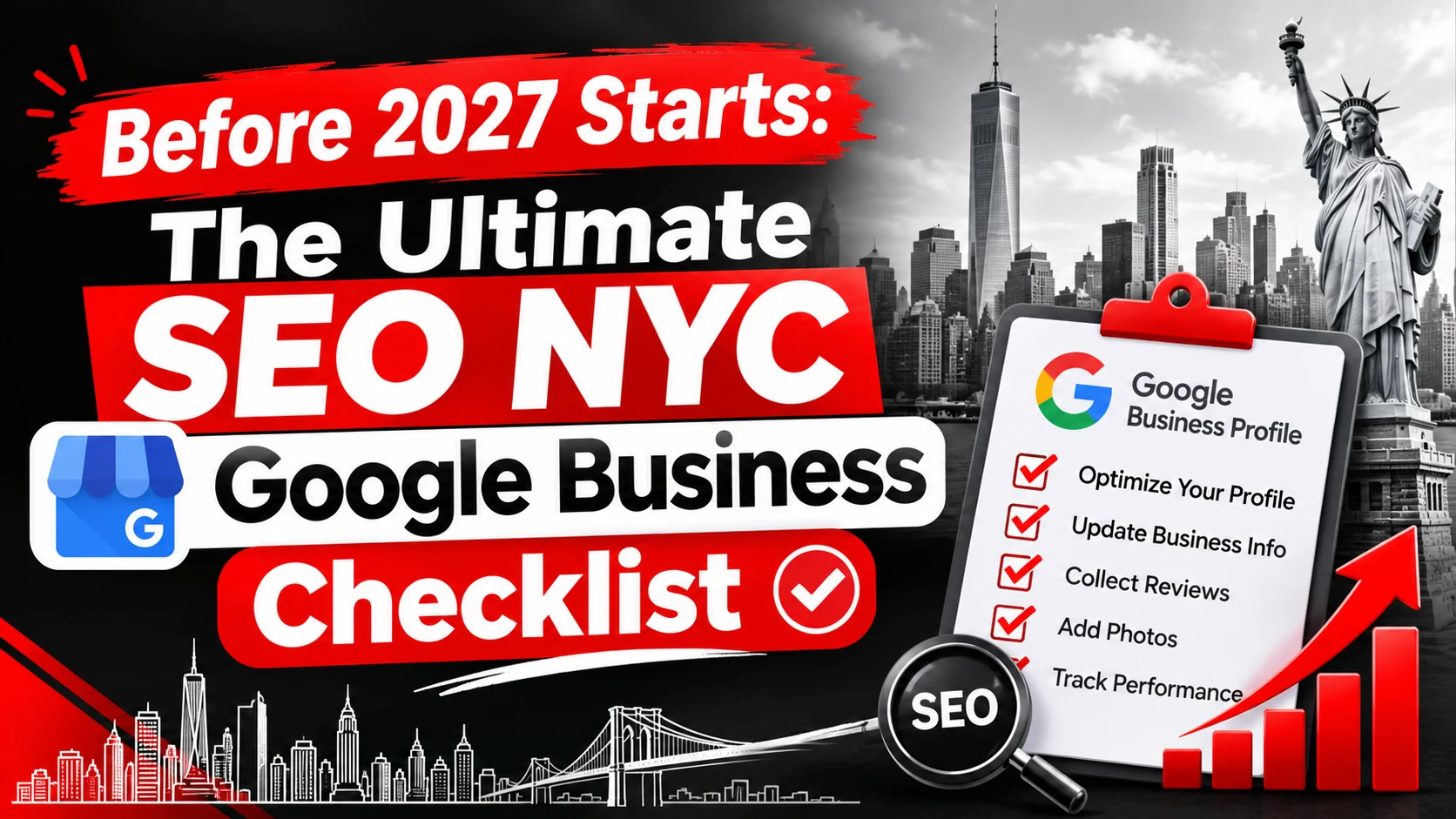
In New York City, someone searching for an accountant, dentist, or IT consultant sees a dozen nearby options in seconds. Your Google Business Profile is often the first thing they judge, and it influences whether they call, visit your website, or ask for directions. This guide, Before 2027 Starts: The Ultimate SEO NYC Google Business Checklist, covers the profile, website, and tracking work worth finishing before January.
A year-end review makes sense because small errors pile up. Hours change, a team moves, a service is dropped, and a competitor's listing starts to look more trustworthy than yours. Fixing these gaps now gives you a clean baseline for 2027.
One honest caveat first. Google says local results rely mainly on relevance, distance, and prominence (Google Business Profile Help), and no one can guarantee a Map Pack position. This checklist improves what you control. It does not promise rankings.
You will learn what to verify in your profile, how to manage photos and reviews, which website fixes support your listing, and which numbers are worth tracking.
Section 1: Google Business Profile Foundation
Claim, Verify, and Clean Up Your Google Business Profile
Search for your business name while signed in to Google. If you see a "Claim this business" prompt, or an owner you do not recognise, fix that first. Verification matters because photos and performance data only appear for verified profiles.
Then look for duplicates, such as an old address or former business name. Merge or report them, and update anything outdated. Also review the user list. Former employees and past agencies often still have access.
Match Your Primary and Secondary Categories to What You Actually Do
Your primary category tells Google what your business mainly is, so use the most specific option available. Add secondary categories only for services you genuinely deliver.
Adding unrelated categories to show up in more searches dilutes relevance and can look misleading to customers.
Write a Business Description That Supports NYC Local Searches
Write for a person first. Say what you do, who you serve, and what makes you different, in plain sentences. Mention New York, a borough or a neighbourhood once or twice where it is true, such as "serving clients across Manhattan and Brooklyn." Skip keyword lists and promotional hype.
Set Up Services, Products, and Business Hours Correctly
Add every service you actually offer, with a short, specific description of each. Remove services you no longer provide. Confirm your phone number and website link, and set regular hours that match what customers will really experience. Add special hours for each holiday, not only the major ones.
Set Up the Correct Storefront or Service-Area Profile
If customers meet you at a location, you are a storefront business and your address shows. If you travel to customers, you are a service-area business and should hide your address and define the areas you serve. Hybrid businesses can show both. Google's guidelines explain each setup.
Do not use an address where you do not operate just to appear in Manhattan. Google's rules do not allow a virtual office unless it is staffed during business hours.
Check NAP Consistency Across the Web
NAP means name, address, and phone number. Compare these details across your website, Google Business Profile, social profiles, and the directories that matter in your industry. Use the same suite format, the same phone number, and the same business name everywhere. Small mismatches, such as "Suite 4B" versus "#4B," confuse customers.
Section 2: Visual Trust Signals That Strengthen Local Visibility
Why Real Business Photos Matter in Competitive NYC Markets
People compare several businesses before contacting one, and photos help them decide quickly. An exterior photo also helps customers recognise your location when they arrive. Treat photos as a trust signal. There is no basis for claiming that uploading them automatically lifts rankings.
Which Photos Should an NYC Business Upload?
Use images that show reality: your entrance and street view, reception area, workspace, team members at work, equipment, and completed projects. Google asks for photos that are in focus, well lit, and not heavily altered. Get permission before showing staff or clients, and avoid stock images.
Build a Simple Weekly Photo Routine
Assign one person to collect a few usable photos from real work each week and keep them in a shared folder. Upload them in a batch, with no quota. Consistency beats volume.
Optimise Your Logo and Cover Photo
Upload a sharp logo and a cover photo that represents your business accurately. Be aware that Google may display a different image if it judges another one more representative, including a customer-submitted photo, so keep the rest of your gallery strong.
Use Short Videos to Show Real Work
Google allows videos of up to 30 seconds at 720p or higher. A quick walkthrough of your office, a time-lapse of a finished project, or a short look at your process gives customers a feel for your work.
Section 3: Reviews and Reputation Management
How Reviews Influence Local Search Visibility and Customer Decisions
Google states that more reviews and positive ratings can improve local ranking. Reviews also shape human decisions, since people read recent comments to judge reliability. Quality, quantity, recency, and sentiment all play a part. Even so, reviews are one input among many and never a guarantee of top positions.
Create a Natural, Policy-Compliant Review Generation Process
Ask genuine customers for honest feedback shortly after a job is done, using a short email or text with your direct review link. Ask everyone, not just clients you think were happy.
Google's contribution policy prohibits fake engagement, including paid or incentivised reviews. Do not offer discounts or gifts for ratings. Do not screen customers by satisfaction before sending them to Google, and do not discourage negative feedback. Review the current policy before launching any campaign.
Respond to Positive Reviews Professionally
Respond in your own voice. Mention the specific project or detail the customer raised, and thank them by name where appropriate. Copy-pasted replies feel hollow and add nothing for future readers.
Handle Negative Reviews Without Damaging Your Reputation
Wait until you are calm, then reply factually and briefly. Acknowledge the issue, offer to resolve it offline, and never share private client details in a public response. Most readers judge you by how you respond. If a review is fake, off-topic, or breaks Google's policies, flag it for removal rather than arguing.
Set a Review Monitoring Schedule for 2027
Check new reviews weekly and send alerts to someone who can act on them. Once a month, scan for recurring themes such as slow responses, unclear pricing, or parking confusion. Reviews are free customer research, so feed the patterns back into your operations.
Section 4: Ongoing Engagement and Google Business Profile Content
Do Google Business Profile Posts Still Deserve Attention?
Posts let you share updates, offers, and events directly on your profile, and they can nudge a customer toward calling or visiting. Treat them as customer communication, not a ranking lever. No ideal posting frequency has been established, so post when you have something useful to say.
What to Publish for an NYC Audience
Good topics include seasonal hours, new or changed services, finished projects, time-limited offers, and local events you attend or host. Locally useful details also work, such as the nearest subway line, building entry instructions, or street parking realities. Keep it specific and honest.
Use Customer Questions to Identify Information Gaps
Google has been retiring the Questions and Answers section on Business Profiles in favour of an AI-powered Ask feature, and availability varies by profile (Search Engine Roundtable). Check what your own profile shows.
Either way, the lesson is the same. List the questions customers ask by phone, email, and in reviews. Answer them in your description, services section, and a clear FAQ page on your website. Accurate answers in several places help customers and give Google reliable information to draw from.
Keep Your Profile Current Heading into 2027
Add holiday hours now and note any closures. Remove expired promotions, update changed services, and confirm your phone number still works. Put a monthly reminder in your calendar. A stale profile quietly costs you calls.
Section 5: Website Improvements That Support Google Business Performance
Why Your Website Matters for NYC Local SEO
Google notes that your position in web results is also a factor in local ranking, so standard SEO practices apply. Your website supplies the depth your profile cannot: service pages, proof of experience, contact details, and answers. If a visitor taps your listing and lands on a slow or confusing page, that trust disappears.
Audit Mobile Usability, Page Speed, and Core Web Vitals
Open your site on a real phone and check the menu, tap-to-call buttons, and contact form. Then run Google PageSpeed Insights and review the Core Web Vitals report in Search Console.
Google's targets, measured at the 75th percentile of real visits, are loading (LCP) within 2.5 seconds, responsiveness (INP) at or under 200 milliseconds, and visual stability (CLS) at or under 0.1 (web.dev). Think of these as good user experience, not a ranking shortcut.
Implement Relevant Local Business Schema Markup
Schema markup is code that describes your business to search engines. Use LocalBusiness or a more specific supported type, and make sure the name, address, phone number, and hours match your profile exactly. Google's LocalBusiness documentation recommends validating with the Rich Results Test. Structured data helps Google understand your page. It does not guarantee higher rankings or rich results.
Create Useful NYC Neighbourhood and Service-Area Content
Neighbourhood pages make sense when you have something real to say, such as a Brooklyn office serving Brooklyn and Queens clients. Include genuine details such as projects completed and how clients reach you.
Avoid near-identical pages with only the borough swapped. Google's spam policies name this pattern as doorway abuse. Mention Manhattan, Brooklyn, Queens, the Bronx, or Staten Island only where they reflect where you really work.
Keep Business Details Consistent and Maps Useful
Show the same business details on your contact page, footer, and schema. Make the phone number a tap-to-call link. If you embed a map, check that the pin sits on your real entrance and that it works smoothly on mobile. An embedded map helps visitors find you, but it will not by itself improve your local rankings.
Strengthen Local Authority With Relevant Website Mentions
Genuine local signals come from real relationships: NYC chambers of commerce, business improvement districts, professional associations, community sponsorships, and partner businesses. Avoid paid link packages, link swaps at scale, and anonymous directory spam. They create risk without building real prominence.
Section 6: Tracking, Measurement, and Final Preparation
Connect Google Business Profile Reporting With Website Analytics
Your profile's Performance section shows interactions such as calls, website clicks, and directions, but only for verified profiles, and only metrics that apply to your business appear. A website click is an interaction, not a conversion.
To see what happens next, add UTM parameters to your profile's website link, using consistent lowercase names. Google's guidance recommends always setting source, medium, and campaign. Then mark form submissions, call clicks, and booking requests as key events in GA4.
Track the Metrics That Matter Before 2027
Record these monthly in one place: profile views and searches where reported, website clicks, call clicks, direction requests, organic traffic, qualified leads, and conversion rate. Profile calls count button clicks, not answered calls, and every figure is an interaction rather than proof of revenue.
Audit Your Google Maps and NYC Map Pack Visibility
List the ten searches your best customers would use. An SEO business might test "SEO agency NYC" and "SEO services New York City," while a law firm or plumber would swap in its own services and boroughs. Search from your business area on a phone, then from nearby areas, since results shift with the searcher's location.
Note your position, the three leading competitors, and the date in a spreadsheet. Repeat quarterly with the same method.
Build a Practical 2027 Local SEO Action Plan
- Immediate fixes: correct profile errors, hours and phone number, and fix broken contact links.
- Next 30 days: refresh photos, set up review monitoring, add schema, tag the profile link with UTM parameters, and configure GA4 key events.
- Monthly: review reviews, update hours and offers, check Performance and analytics, and log visibility results.
Assign an owner for each task, set a measurable outcome, and review progress in Q1 2027.
Your Pre-2027 Google Business Priority List
Your Essential Pre-2027 Checklist
- Profile is claimed, verified, and free of duplicates
- Primary and secondary categories reflect your real services
- Services, description, and hours are accurate, including holidays
- Storefront or service-area setup follows Google's guidelines
- NAP is identical across the web
- Photos, logo, and cover image are current and authentic
- Review requests, replies, and monitoring are in place
- Offers and updates are current, and expired items are removed
- Website is fast, mobile-friendly, and has a clear contact path
- Schema markup matches your profile and validates
- UTM tagging and GA4 key events are working
- Map and local visibility results are recorded
What Should You Do First This Week?
Start with errors customers can feel: wrong hours, an old phone number, a broken website link, or a duplicate listing. Then fix any website contact problem, set up a review alert, and confirm measurement works so January starts with real data.
Final Thoughts: Consistency Beats Perfection
Accurate information, honest reviews, a useful website, and regular measurement matter more than any single fix. Do a little each month and 2027 will be easier to manage.
If you would like a second pair of eyes on your profile or website, you can explore SEO services from Ingenious HiTech or ask for an SEO consultation.