
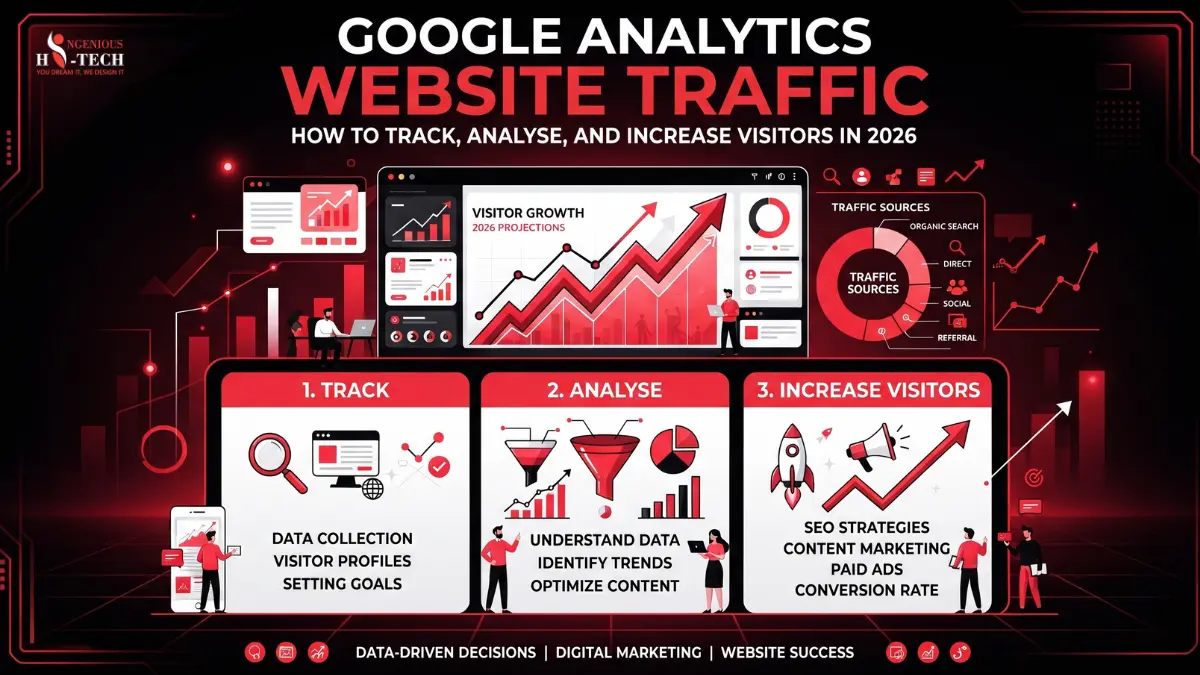
Every website tells a story, but most business owners never read it. They publish pages, run ads, post on social media, and hope something works. Without real data, this is just guesswork. That's where Google Analytics website traffic tracking comes in. It shows exactly who visits your site, where they come from, what they do, and why they leave. Businesses that ignore this data often waste money on the wrong marketing channels. They keep writing content nobody reads, or they miss simple fixes that could double their sales. Google Analytics 4 (GA4) is the tool that changes this. It collects visitor behaviour in real time and turns it into reports you can actually use to make decisions.
In this guide, you'll learn what website traffic really means, how GA4 tracks it, which metrics actually matter, and ten practical ways to grow your visitors in 2026. No jargon, no fluff, just a clear roadmap you can follow today.
What Is Google Analytics Website Traffic?
Google Analytics website traffic simply means the number of people who visit your website, along with details about how they got there and what they did once they arrived.
- Think of "traffic" as the flow of visitors moving through your site, the same way foot traffic describes people walking into a physical store.
- A common mix-up is treating "visitors" and "traffic" as the same thing. Visitors are the actual people. Traffic is the bigger picture: how many visits happened, where they came from, and what path they took.
- Example: Imagine an online store selling handmade candles. One day, 500 people visit the site. GA4 shows that 300 came from Google search, 100 clicked a Facebook ad, and 100 typed the website address directly. That entire breakdown is your website traffic data, and it tells the store owner exactly where to focus marketing budget next month.
Businesses measure traffic because it's the starting point for every other decision: what to write about, where to advertise, and which pages need fixing.
Why Tracking Website Traffic Is Important
Tracking traffic isn't just a technical exercise. It directly affects revenue, marketing budget, and customer experience.
Understanding Your Customers
GA4 shows the age range, location, device type, and interests of your visitors. A clothing brand might discover that 70% of shoppers browse on mobile phones in the evening, which changes how they design their site and time their promotions.
Improving Marketing Campaigns
If an email campaign drives 200 visits but zero sales, that's a warning sign. Traffic data shows which channels bring real buyers, not just clicks, so you can shift budget toward what actually works.
Increasing Sales
By watching which pages visitors view right before buying, businesses can highlight those pages more, add better calls-to-action, and guide more people down the same path.
Finding Website Problems
A sudden traffic drop on a product page might mean a broken link, a slow-loading image, or a technical error. Traffic data flags the problem before it costs you customers.
Making Better Business Decisions
Instead of guessing which blog topics to write next or which service to promote, traffic reports show what readers already care about, based on real behaviour, not opinions.
How Google Analytics Tracks Website Traffic
GA4 collects data using a small piece of tracking code called the Google Tag, installed on every page of your website.
Google Tag: This is a snippet of code that quietly records activity, like a security camera that only watches anonymous behaviour, not identity.
Events: Every action a visitor takes- a page view, a button click, a video play- is recorded as an "event." GA4 is built entirely around events, unlike older tools that only counted pageviews.
Sessions: A session is one visit, made up of everything a person does from arrival to leaving (or 30 minutes of inactivity).
Cookies and privacy: Small text files called cookies help GA4 recognise returning visitors without collecting personal details like names or emails. GA4 is designed to respect privacy regulations like GDPR.
Data collection: All this information flows into Google's servers, gets processed, and appears in your reports, usually within a few hours.
Real-time tracking: GA4's Realtime report shows visitor activity happening on your site right now, useful for checking if a new campaign is working immediately after launch.
Here's the simple workflow:
Visitor → Website → Google Tag → GA4 → Reports → Business Decisions
A person visits your site. The Google Tag quietly records their actions. That data flows into GA4. GA4 organises it into reports. You read those reports and make smarter decisions about content, marketing, and design.
How to Check Website Traffic in Google Analytics 4
Here's a beginner-friendly walkthrough for checking your Google Analytics website visitors.
- Log in. Go to analytics.google.com and sign in with the Google account connected to your website.
- Select your property. A "property" is simply your specific website or app inside GA4. If you manage multiple sites, make sure you pick the right one.
- Open Reports. On the left sidebar, click "Reports." This is your main dashboard for all traffic and behaviour data.
- Click Acquisition. This section answers one question: where did my visitors come from?
- Open Traffic Acquisition. This report breaks down visits by channel: organic search, paid ads, social media, referrals, and direct visits. It's the single best place to see which marketing efforts are paying off.
- Read the report properly. Don't just glance at total numbers. Look at which channel brings the most engaged sessions and conversions, not just the highest visitor count. A channel with fewer visitors but more sales is often more valuable than one with huge traffic and no results.
Understanding the 10 Most Important Website Traffic Metrics
|
Metric |
Definition |
Why It Matters |
Business Example |
|
Users |
Unique individuals who visited your site |
Shows real audience size |
A bakery sees 1,200 unique users last month |
|
New Users |
First-time visitors |
Measures reach and discovery |
A blog gains 400 new users after a guest post |
|
Returning Users |
Visitors who came back |
Shows loyalty and interest |
An online course site sees 30% returning learners |
|
Sessions |
Total number of visits |
Shows overall activity level |
A shop had 2,000 sessions during a holiday sale |
|
Engaged Sessions |
Visits lasting 10+ seconds or with meaningful action |
Filters out accidental clicks |
60% of sessions on a pricing page are engaged |
|
Engagement Rate |
Percentage of engaged sessions |
Reveals content quality |
A blog post has an 80% engagement rate |
|
Average Engagement Time |
Time visitors actively spend on site |
Shows how compelling content is |
Product pages average 2 minutes of engagement |
|
Conversions |
Completed goals like purchases or signups |
Directly tied to revenue |
50 newsletter signups counted as conversions |
|
Events |
Specific tracked actions |
Reveals exact user behaviour |
Video plays tracked as an event on a tutorial page |
|
Landing Pages |
First page a visitor sees |
Shows what attracts traffic |
A "Best Coffee Makers" page is the top landing page |
Understanding these Google Analytics traffic metrics together, not in isolation, gives you the full picture of how visitors interact with your website.
Understanding Website Traffic Sources
Every visit falls into one of several traffic source categories, each revealing something different.
- Organic Search: Visitors who find you through Google or Bing search results, without paying. Example: Someone searches "best running shoes" and clicks your blog post. This is valuable because it's free, ongoing traffic. Tip: Improve on-page SEO and answer real search questions.
- Direct: Visitors who type your website address directly or use a bookmark. Example: A returning customer types "yourstore.com" from memory. This shows strong brand recognition. Tip: Build brand awareness through consistent marketing.
- Referral: Visitors who click a link from another website. Example: A tech blog links to your product review. This builds authority and trust. Tip: Pursue partnerships and guest posting opportunities.
- Social: Visitors arriving from platforms like Instagram, Facebook, or LinkedIn. Example: Someone clicks your Instagram bio link. This shows social content is driving interest. Tip: Post consistently and include clear links in your bio and posts.
- Paid Search: Visitors from Google Ads or other paid campaigns. Example: A shopper clicks a Google Ad for "affordable laptops." This drives fast but costly traffic. Tip: Track conversions closely to ensure ad spend is profitable.
- Email: Visitors who click links inside email newsletters. Example: A subscriber clicks a discount code in your weekly email. Email traffic often converts well because it targets an interested audience. Tip: Segment your list and personalise subject lines.
How to Analyse Website Traffic Like an Expert
- Compare date ranges. Look at this month versus last month, or this year versus last year, to spot real trends instead of one-off spikes.
- Find top pages. Identify which pages get the most views and engagement. These are your strongest assets, worth promoting further.
- Identify low-performing pages. Pages with high traffic but low engagement usually have a content or design problem worth fixing.
- Analyze engagement. Don't just count visits. Check engagement rate and average engagement time to see if people actually care about the content.
- Review conversions. Traffic without conversions is just noise. Always connect visitor numbers back to real business goals like signups or sales.
- Understand customer journeys. Look at the path visitors take before converting. This reveals which pages build trust along the way.
- Measure campaign performance. Tag your marketing campaigns with UTM parameters, so GA4 can show exactly how each specific campaign performed, not just the general channel.
10 Proven Ways to Increase Website Traffic Using Google Analytics
- SEO improvements. GA4's organic traffic reports show which search terms and pages are underperforming, so you can update titles, headers, and content to match search intent.
- Content updates. Pages with declining views over time signal outdated content. Refresh statistics, examples, and keywords to bring them back to life.
- Internal linking. Use the Pages report to find high-traffic posts and link them to lower-traffic related pages, spreading visitor attention across your site.
- Core Web Vitals. Slow-loading pages often show high bounce and low engagement in GA4. Combine this with PageSpeed Insights to fix speed issues that push visitors away.
- Mobile optimisation. If GA4 shows most traffic comes from mobile but engagement is low, your mobile design likely needs improvement.
- Conversion optimisation. Compare conversion rates by landing page to find which designs and offers convert best, then apply those winning elements elsewhere.
- High-performing pages. Double down on your best pages by adding related content links, updated calls-to-action, and fresh visuals.
- Referral partnerships. Check your Referral traffic report to see which outside websites already send you visitors, then build stronger relationships with those sites.
- Marketing campaign optimisation. Use UTM-tagged campaign data to cut underperforming ads and reinvest in channels with the best conversion rates.
- User behaviour analysis. Study the Path Exploration report to see where visitors drop off, then simplify that part of the journey to keep them moving forward.
Common Google Analytics Mistakes to Avoid
- Ignoring conversions. Traffic looks impressive, but without tracking conversions, you can't tell if that traffic actually helps your business. Set up conversion events immediately.
- Looking only at pageviews. High pageviews don't equal success if visitors leave in seconds. Always pair pageviews with engagement data.
- Ignoring engagement. Engagement rate reveals content quality far better than raw visit counts. Low engagement means your content isn't resonating.
- No event tracking. Without custom events, you miss important actions like form submissions or downloads. Set these up early to capture full visitor behaviour.
- Not filtering internal traffic. Employees and developers visiting the site can skew your data. Exclude internal IP addresses to keep reports accurate.
- Never reviewing reports. Collecting data does nothing if nobody looks at it. Schedule a monthly review to turn numbers into action.
Google Analytics vs Google Search Console
|
Feature |
Google Analytics (GA4) |
Google Search Console |
|
Purpose |
Tracks on-site visitor behaviour |
Tracks search visibility and indexing |
|
Traffic |
All sources (organic, paid, social, direct, referral) |
Organic search only |
|
SEO |
Limited SEO detail |
Deep SEO and search performance data |
|
Keywords |
Not directly shown |
Shows exact search queries |
|
Conversions |
Full conversion tracking |
No conversion tracking |
|
Users |
Detailed user behaviour data |
No individual user data |
|
Clicks |
Not the primary focus |
Core metric |
|
Impressions |
Not tracked |
Core metric |
|
Best Use Cases |
Understanding behaviour, conversions, and engagement |
Understanding search rankings and indexing issues |
Both tools answer different questions. Search Console tells you how you're found on Google. Analytics tells you what happens after someone arrives. Using both together gives you the complete picture, from search visibility to final conversion.
Frequently Asked Questions
1. What is Google Analytics website traffic?
It's the data showing how many people visit your website, where they came from, and what actions they took while there.
2. Is GA4 different from the old Google Analytics?
Yes. GA4 tracks everything as events instead of pageviews, and it's built with stronger privacy controls for modern regulations.
3. How often does GA4 update traffic data?
Most standard reports update within 24 to 48 hours, while the Realtime report shows activity within seconds.
4. What's a good engagement rate?
There's no universal number, but generally above 50% is considered healthy for most content-driven websites.
5. Can Google Analytics show who exactly visited my site?
No. GA4 never shows personal identities. It tracks anonymous behaviour patterns only.
6. Why does my traffic look different in GA4 than in the old Analytics?
GA4 measures sessions and users differently, using an event-based model, so slight differences from Universal Analytics are expected.
7. What is a good bounce indicator in GA4?
GA4 replaced bounce rate with engagement rate, so a low engagement rate is the modern equivalent of a high bounce rate warning.
8. How do I track form submissions in GA4?
You can set up a custom event for form submissions using GA4's Events section or through Google Tag Manager.
9. Should I use Google Search Console alongside GA4?
Yes. Search Console shows keyword and ranking data that GA4 doesn't provide, making the two tools complementary.
10. How can I increase my website traffic using GA4 data?
Identify your top-performing pages and traffic sources, then invest more time and budget into what's already working while fixing pages with high traffic but low engagement.
Conclusion
Growing your business without tracking Google Analytics website traffic is like driving with your eyes closed. You might move forward, but you won't know if you're headed the right way.
By understanding your traffic sources, key metrics, and visitor behaviour, you can make smarter decisions about content, marketing, and site design, all backed by real data instead of guesswork.
2026 belongs to businesses that treat their website data as a growth tool, not just a technical checkbox. Start reviewing your reports regularly, and let the numbers guide your next move.
If you'd like expert help turning your Google Analytics data into a real growth strategy, Ingenious HiTech's analytics, SEO, and digital marketing team is ready to help you track smarter and grow faster.