
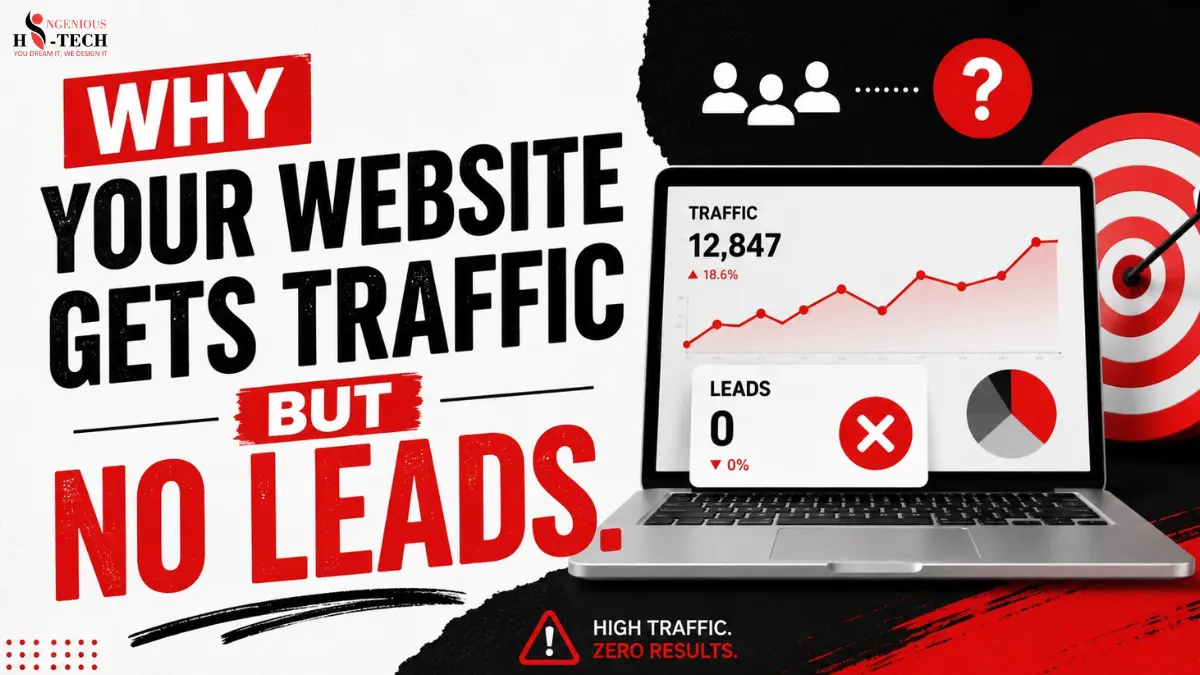
If you've ever stared at your Google Analytics dashboard, seen a healthy number of visitors, and then looked at your inbox to find nothing, you're not alone. It's one of the most frustrating situations a business owner can face. You're spending money on SEO, maybe running ads, publishing content every week, and the traffic is showing up. But the phone isn't ringing. The contact form is empty. The sales team has nothing to work with.
This is the classic "website gets traffic but no leads" problem, and it trips up far more businesses than you'd expect. The instinct is usually to chase more traffic, assuming the numbers will eventually translate into customers. But in most cases, the issue isn't a lack of visitors; it's what happens once they arrive.
Below, we'll walk through twelve of the most common reasons this happens, why each one quietly costs you business, and what you can actually do about it.
Traffic vs Leads: Why More Visitors Don't Always Mean More Customers
Traffic and leads are not the same thing, even though it's easy to treat them like they are. Traffic tells you how many people showed up. Leads tell you how many of those people actually cared enough to take action, filling out a form, picking up the phone, requesting a quote.
A website can pull in thousands of visitors a month and still produce almost no business, while a smaller site with a fraction of the traffic converts consistently. The difference usually comes down to who is visiting and what happens once they land on the page.
Here's a simple example. Imagine two plumbing companies. Company A ranks for "how to fix a leaky faucet" and gets 5,000 visits a month from DIYers looking for a quick tutorial. Company B ranks for "emergency plumber near me" and gets 500 visits a month from people who need help right now and are ready to call. Company B, despite ten times less traffic, will almost certainly generate more leads because the traffic matches buying intent.
This is why chasing traffic in isolation can be misleading. The real question isn't "how many people came to my site"; it's "how many of the right people came, and did the site give them a reason to act?"
12 Reasons Your Website Gets Traffic but No Leads
1. Your Website Attracts the Wrong Audience
Problem: Your site brings in visitors, but they're not the people who would ever hire you or buy from you.
Why it happens: This usually comes from targeting broad, high-volume keywords instead of ones with real buyer intent. A law firm ranking for "what is a contract" is attracting students and curious readers, not people looking to hire an attorney. It's easy to get excited about ranking for popular terms without checking whether the searcher actually wants what you sell.
How to fix it: Review your top-performing pages by traffic and ask honestly whether the keywords driving that traffic reflect commercial or transactional intent. Shift content and SEO focus toward terms that signal someone is ready to solve a problem or make a purchase, not just learn something.
2. Your Value Proposition Is Unclear
Problem: Visitors land on your homepage or service page and can't quickly figure out what you do, who you help, or why they should pick you over a competitor.
Why it happens: Many websites lead with vague, internal-facing language, mission statements, industry jargon, or clever taglines that sound good but say nothing specific. If a visitor has to scroll and think for more than a few seconds to understand your offer, you've likely already lost them.
How to fix it: Your headline and the first few lines of copy should answer three things immediately: what you offer, who it's for, and what makes you the right choice. Be direct. "We help small manufacturers cut shipping costs by 20% through better logistics planning" beats "Innovative Solutions for a Connected World" every time.
3. Weak Calls-to-Action (CTAs)
Problem: There's no clear next step for the visitor, or the CTA is so generic it doesn't prompt any real action.
Why it happens: Buttons that say "Learn More" or "Submit" don't tell visitors what happens next or why they should click. Some pages bury the CTA at the very bottom, or don't include one until the visitor has already lost interest and left.
How to fix it: Use specific, action-oriented language tied to a real outcome: "Get Your Free Quote," "Book a 15-Minute Call," "See Pricing." Repeat your primary CTA at logical points throughout the page, not just once at the end.
4. Landing Pages Do Not Match Search Intent
Problem: Someone searches for a specific service, clicks your ad or organic result, and lands on a page that doesn't clearly address what they were looking for.
Why it happens: Many businesses funnel all traffic to a general homepage or a broad "Services" page instead of a dedicated page for that specific service or keyword. The mismatch between what was promised in the search result and what's actually on the page creates instant doubt.
How to fix it: Build dedicated pages for your core services, each aligned closely with the keywords and intent that bring visitors there. If someone searches "commercial roof repair," they should land on a page about exactly that, not a general roofing homepage.
5. Lack of Trust Signals
Problem: Visitors have no reason to believe you're credible, experienced, or capable of delivering what you promise.
Why it happens: Trust doesn't happen automatically online. Without visible proof reviews, testimonials, case studies, certifications, or examples of past results visitors have no way to differentiate you from a less reliable competitor, and hesitation kills conversions.
How to fix it: Add genuine client testimonials near your CTAs, showcase specific results and case studies where possible, and display any relevant certifications or credentials. Real names, photos, and specifics build far more trust than generic five-star ratings.
6. Slow Website Speed
Problem: Your site takes too long to load, and visitors leave before they even see your offer.
Why it happens: Large unoptimized images, bloated code, and cheap hosting are common culprits. Every additional second of load time increases the chance a visitor abandons the page, especially on mobile connections.
How to fix it: Compress images, use a caching plugin or CDN, and test your site with a tool like Google PageSpeed Insights. Even shaving off one or two seconds of load time can noticeably improve conversion rates.
7. Poor Mobile Experience
Problem: The site looks fine on desktop but is clunky, hard to navigate, or frustrating to use on a phone.
Why it happens: A large share of traffic often the majority now comes from mobile devices. If buttons are too small, text requires zooming, or forms are painful to fill out on a touchscreen, visitors will abandon the page rather than fight with it.
How to fix it: Test your site regularly on actual mobile devices, not just a browser's mobile preview. Simplify navigation, enlarge tap targets, and make sure forms are short and easy to complete with one thumb.
8. Content Does Not Address Customer Needs
Problem: Your content talks about your company, your process, or your industry, but doesn't speak to the actual problems and objections your customers are thinking about.
Why it happens: It's natural to write from the inside out, describing what you do and how you do it. But visitors care about their own situation first. If your content doesn't answer their specific concerns, they'll look elsewhere for someone who does.
How to fix it: Build content around the questions and objections your sales team hears most often. Address pricing concerns, common misconceptions, and the specific outcomes customers care about, rather than just listing features or services.
9. Complicated Contact Process
Problem: Visitors want to reach out, but the process of doing so is longer or more confusing than it needs to be.
Why it happens: Long forms asking for excessive information, unclear phone number placement, or multi-step processes all add friction. Every extra field or step is another opportunity for someone to give up.
How to fix it: Reduce your form to the essential fields only; name, email, and a brief message are often enough to start a conversation. Make your phone number and contact options visible on every page, not just buried on a separate "Contact Us" page.
10. No Conversion Tracking
Problem: You don't actually know how visitors are behaving on your site, which leads are coming from where, or why they're dropping off.
Why it happens: Many businesses set up Google Analytics once and never configure it to track actual conversion form submissions, phone calls, click-to-chat, and similar actions. Without this data, every conversion decision is a guess.
How to fix it: Set up proper conversion tracking through Google Analytics and Google Search Console, and consider using a heatmap tool to see how visitors actually interact with your key pages. This data turns guesswork into an actual improvement plan.
11. Targeting Informational Searches Only
Problem: Your SEO and content strategy is built almost entirely around informational keywords people researching a topic, not people ready to buy.
Why it happens: Informational content is often easier to rank for and produces impressive traffic numbers, which can feel like a win. But someone searching "what causes AC units to freeze up" isn't the same as someone searching "AC repair near me."
How to fix it: Balance your content strategy between informational topics that build authority and commercial, buyer-intent keywords that are closer to a purchase decision. Both have value, but only one type reliably produces leads.
12. Focusing Only on Traffic Growth
Problem: Every marketing decision is measured by "did traffic go up," without asking whether that traffic is actually producing business results.
Why it happens: Traffic is an easy, visible metric to report on, which makes it tempting to treat as the goal itself rather than a means to an end. But a website that converts 5% of 1,000 visitors outperforms one that converts 1% of 5,000.
How to fix it: Shift the primary metric from traffic volume to conversion rate and lead quality. Often, improving what already exists on your site produces faster, more reliable results than trying to attract more visitors.
How to Convert Existing Website Traffic Into More Leads
You don't need a complete rebuild to start seeing better results. A focused, step-by-step approach usually works best:
- Analyse your highest-traffic pages: Identify which pages get the most visits and check how well they're currently converting.
- Identify conversion problems: Look for unclear messaging, weak CTAs, slow load times, or mismatched intent on those specific pages.
- Improve messaging and CTAs: Rewrite headlines and calls-to-action so they speak directly to what the visitor needs and what to do next.
- Add trust-building elements: Bring in testimonials, case studies, or credentials where they're currently missing.
- Test and optimise continuously: Website conversion optimisation isn't a one-time fix; small, ongoing tests reveal what actually moves the needle for your audience.
Website Conversion Checklist
Before your next marketing push, run your site through this quick checklist:
- Clear, specific headline
- Strong, easy-to-understand value proposition
- Mobile-friendly design
- Fast loading speed
- Visible contact options on every page
- Genuine customer reviews and testimonials
- Clear, action-oriented CTAs
- Landing pages that match search intent
- Working analytics and conversion tracking
- Simple, low-friction inquiry process
Frequently Asked Questions
Why does my website get traffic but no leads?
Usually it comes down to a mismatch between who's visiting and what your site asks them to do. Wrong-audience traffic, unclear messaging, weak CTAs, or a clunky contact process can all quietly prevent visitors from converting, even when traffic numbers look healthy.
How can I convert website visitors into customers?
Start by making your value proposition immediately clear, add trust signals like testimonials and case studies, simplify your contact process, and make sure your CTAs give visitors an obvious next step. Small changes to messaging and page structure often produce noticeable improvements.
Does SEO increase leads or only traffic?
SEO can do both, but it depends on the keywords you target. Ranking for broad informational terms mostly drives traffic. Ranking for commercial, buyer-intent keywords is far more likely to produce actual leads.
How can I improve my website conversion rate?
Focus on clarity, speed, mobile usability, and trust. Review your highest-traffic pages first, since improvements there have the biggest impact, and use analytics to identify where visitors are dropping off.
Should I get more traffic or optimise my current website?
If your site already gets a reasonable amount of traffic but few leads, optimisation usually delivers faster, more cost-effective results than simply driving more visitors to a page that isn't converting.
Conclusion
Traffic only matters when it creates real business opportunities. A website that pulls in visitors but fails to turn them into inquiries or sales isn't doing its job, no matter how good the analytics dashboard looks. Solving a "website gets traffic but no leads" problem requires looking honestly at audience targeting, messaging, trust, usability, and the actual path a visitor takes from landing page to contact form.
The good news is that most of these issues are fixable without starting over. A page that converts at 1% today can often reach 3-4% with the right adjustments, and that difference compounds every month.
Need help identifying why your website isn't converting? A professional website and conversion audit can reveal missed opportunities and give you a clear, practical plan to turn your existing traffic into real business growth.