
If your WordPress site isn't ranking the way you hoped, the problem usually isn't bad luck. It's usually a handful of quiet, easy-to-miss issues sitting under the hood of your site. These WordPress SEO mistakes rarely show up as an obvious red flag. Instead, they chip away at your rankings a little at a time, and most site owners never notice until traffic has already dropped.
That's exactly why so many small businesses and bloggers get stuck. You publish good content, you update your pages, and yet your rankings barely move. The issue often isn't the writing at all. It's things like duplicate title tags, orphan pages, or a slow-loading theme working against you behind the scenes.
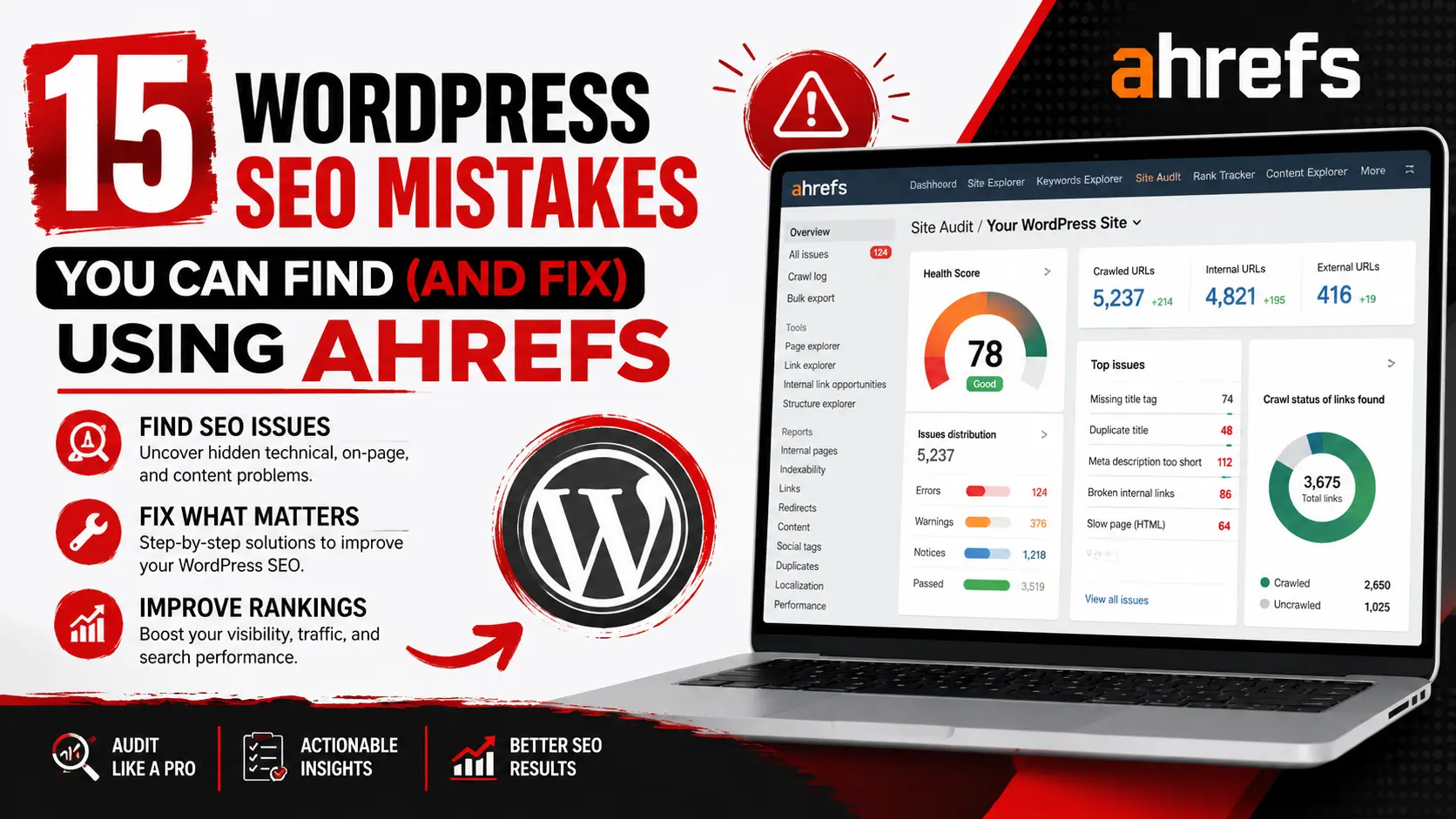
This is where Ahrefs earns its reputation as one of the best tools for spotting these problems. It can scan your entire WordPress site, flag technical errors, show you where your content is thin, and even reveal which pages used to rank but have since lost visibility.
In this guide, we'll walk through 15 of the most common WordPress SEO mistakes, how to spot each one using Ahrefs, and exactly how to fix it. By the end, you'll have a practical checklist you can run through on your own site this week.
Why Ahrefs Is a Powerful Tool for WordPress SEO
Ahrefs isn't just a keyword tool. It's built around several connected features that, together, give you a full picture of your site's health.
-
Site Audit crawls your WordPress site the way search engines do, flagging broken links, slow pages, duplicate content, and missing tags. If you run a WooCommerce store with hundreds of product pages, this is often where the biggest wins hide.
-
Site Explorer shows you which pages are earning backlinks, which ones have lost them, and how your competitors are building authority. It's a great way to see what's actually working for sites that outrank you.
-
Keywords Explorer helps you find search terms your audience is actually typing into Google, along with how difficult they'd be to rank for. A local bakery, for example, might discover "best sourdough bread near me" gets more searches than they assumed.
-
Rank Tracker monitors your keyword positions over time, so you can see whether a blog post you published last month is climbing, holding steady, or slipping.
-
Content Explorer lets you research what's already ranking well in your niche, giving you ideas for topics you haven't covered yet.
Used together, these tools turn guesswork into a clear, prioritised to-do list.
15 WordPress SEO Mistakes You Can Find (and Fix) Using Ahrefs
1. Missing or Duplicate Title Tags
-
Why it hurts SEO: Title tags tell Google (and searchers) what a page is about. When they're missing or duplicated across pages, search engines struggle to know which page to rank for a given query.
-
How Ahrefs helps: Run a Site Audit and check the "Duplicate title tags" and "Missing title tags" issues under the On-Page report. Ahrefs lists every affected URL, so you're not hunting page by page.
-
How to fix it: Write a unique, keyword-focused title for every page, ideally under 60 characters. If you're using Rank Math or Yoast SEO, you can update titles directly from the page editor without touching any code.
-
Pro Tip: Group similar pages (like product categories) and create a title formula, such as "[Product] – [Category] | [Brand]," so you never repeat one by accident.
2. Poor Meta Descriptions
-
Why it hurts SEO: Meta descriptions don't directly boost rankings, but a weak or missing one hurts your click-through rate, which does affect your visibility over time.
-
How Ahrefs helps: The Site Audit flags missing, duplicate, and overly long meta descriptions. You can export the full list and work through it in one sitting.
-
How to fix it: Write descriptions between 150–160 characters that include your target keyword and a clear reason to click, like a benefit or a specific answer.
-
Pro Tip: Treat your meta description like ad copy. Ask a question or hint at the solution your page provides.
3. Broken Internal Links
-
Why it hurts SEO: Broken links create dead ends for both users and search engine crawlers. They waste crawl budget and hurt user experience, which can quietly drag down rankings.
-
How Ahrefs helps: The Site Audit's "Links" report shows every internal link returning a 404 error, along with the exact page it's found on.
-
How to fix it: Update the link to point to the correct page, or set up a 301 redirect if the original page was moved or deleted.
-
Pro Tip: Run this check monthly. WordPress sites change often, and old links break more frequently than most owners expect.
4. Broken Backlinks
-
Why it hurts SEO: Backlinks are one of the biggest ranking factors. If a page that earned links gets deleted or renamed without a redirect, you lose that authority.
-
How Ahrefs helps: Use Site Explorer's "Best by Links" report filtered to broken pages. It shows exactly which of your pages had backlinks and are now returning errors.
-
How to fix it: Restore the page if possible, or 301 redirect it to the closest relevant live page so the link equity isn't wasted.
-
Pro Tip: Before deleting or restructuring any page, always check Site Explorer first to see if it has earned backlinks.
5. Slow Page Speed
-
Why it hurts SEO: Page speed is a confirmed Google ranking factor, and slow sites tend to have higher bounce rates, which signals a poor experience.
-
How Ahrefs helps: The Site Audit's "Performance" report flags slow-loading pages and points to specific issues like large images or render-blocking scripts.
-
How to fix it: Compress images, enable caching with a plugin, and consider switching to a lighter WordPress theme if yours is bloated with unused features.
-
Pro Tip: Pair Ahrefs' findings with Google's PageSpeed Insights for deeper technical detail on what's slowing each page down.
6. Orphan Pages
-
Why it hurts SEO: Orphan pages have no internal links pointing to them, which makes them nearly invisible to search engine crawlers, no matter how good the content is.
-
How Ahrefs helps: The Site Audit's "Orphan pages" report cross-references your sitemap with your internal link structure to find pages nothing links to.
-
How to fix it: Add internal links from related blog posts, category pages, or your main navigation menu.
-
Pro Tip: Orphan pages are common after site redesigns. Run this check anytime you update your menu or theme.
7. Thin Content
-
Why it hurts SEO: Pages with very little useful content rarely satisfy search intent, and Google tends to rank them lower or leave them out of results entirely.
-
How Ahrefs helps: The Site Audit flags pages with low word counts, and Content Explorer lets you compare your page length and depth against top-ranking competitors.
-
How to fix it: Expand thin pages with genuinely useful information, examples, or answers to common questions your audience is searching for.
-
Pro Tip: Don't pad content just to hit a word count. Add real value, like a comparison table, FAQ, or step-by-step section.
8. Keyword Cannibalisation
-
Why it hurts SEO: When two or more pages target the same keyword, they compete against each other, splitting ranking signals instead of building one strong page.
-
How Ahrefs helps: Use the Organic Keywords report in Site Explorer and look for multiple URLs ranking for the same term.
-
How to fix it: Merge the weaker page into the stronger one, or adjust each page's focus so they target distinct, related keywords instead.
-
Pro Tip: Before writing a new blog post, search your own site in Ahrefs first to make sure you haven't already covered that topic.
9. Missing Image Alt Text
-
Why it hurts SEO: Alt text helps search engines understand images and improves accessibility for visually impaired visitors. Missing alt text is a lost opportunity on both fronts.
-
How Ahrefs helps: The Site Audit's "Images" report lists every image missing alt attributes across your site.
-
How to fix it: Add short, descriptive alt text that explains what's in the image and, where natural, includes a relevant keyword.
-
Pro Tip: Avoid keyword stuffing in alt text. Describe the image the way you'd explain it to someone who can't see it.
10. Poor Internal Linking
-
Why it hurts SEO: Internal links help distribute authority across your site and guide both users and crawlers to your most important pages. Without them, valuable pages can get buried.
-
How Ahrefs helps: The Site Structure report shows how many clicks deep each page sits from your homepage, which highlights pages that are hard to find.
-
How to fix it: Link to important pages from your homepage, navigation menu, and relevant blog posts using descriptive anchor text.
-
Pro Tip: Every new blog post is a chance to link back to older, related content. Make this a habit, not an afterthought.
11. Duplicate Content
-
Why it hurts SEO: Duplicate content confuses search engines about which version to rank, and can dilute your ranking signals across multiple URLs.
-
How Ahrefs helps: The Site Audit's "Content Quality" report flags pages with duplicate or near-duplicate content, which is common with WooCommerce product variations and tag pages.
-
How to fix it: Use canonical tags to point to the preferred version, or rewrite duplicate pages so each one offers something distinct.
-
Pro Tip: WordPress tag and category archives are frequent culprits. Consider noindexing thin archive pages that offer little unique value.
12. Unoptimized URLs
-
Why it hurts SEO: Long, messy URLs full of numbers or unnecessary parameters are harder for users to read and can dilute keyword relevance.
-
How Ahrefs helps: The Site Audit flags overly long URLs, and a quick scan of Site Explorer shows how your URL structure compares to top-ranking pages in your niche.
-
How to fix it: Use short, descriptive URLs with your target keyword, and avoid stacking multiple categories into one long path.
-
Pro Tip: If you change a URL, always set up a 301 redirect from the old one to avoid losing rankings and backlinks.
13. Missing Schema Markup
-
Why it hurts SEO: Schema markup helps search engines understand your content better and can unlock rich results, like star ratings or FAQ dropdowns, that improve click-through rates.
-
How Ahrefs helps: While Ahrefs doesn't generate schema, its Site Audit flags pages missing structured data, giving you a clear list of what to prioritise.
-
How to fix it: Use a plugin like Rank Math or Schema Pro to add structured data for articles, products, reviews, or FAQs without editing code directly.
-
Pro Tip: Start with your highest-traffic pages first. Adding schema there tends to deliver the fastest visible impact.
14. Ignoring Lost Keywords
-
Why it hurts SEO: Rankings aren't permanent. A page that once ranked on page one can slowly slide down if competitors improve their content or your page goes stale.
-
How Ahrefs helps: The "Top Pages" and "Organic Keywords" reports in Site Explorer let you filter by position changes, showing exactly which keywords have dropped recently.
-
How to fix it: Refresh the content, update outdated information, add new sections, and check whether competitors have published something more thorough.
-
Pro Tip: Set a quarterly reminder to review your top 20 pages for ranking drops. Small updates often bring quick recoveries.
15. Not Monitoring SEO Performance
-
Why it hurts SEO: Without regular monitoring, small issues turn into big ones before you notice. Many site owners only check their SEO health after traffic has already fallen.
-
How Ahrefs helps: Rank Tracker and scheduled Site Audits let you monitor your site automatically, sending alerts when something changes.
-
How to fix it: Set up a recurring monthly Site Audit and review your Rank Tracker dashboard weekly, rather than waiting for a problem to become obvious.
-
Pro Tip: Treat SEO monitoring the same way you'd treat checking your site's uptime. It should be routine, not reactive.
Frequently Asked Questions
Is Ahrefs good for WordPress SEO?
Yes. Ahrefs works well with WordPress because it can crawl your entire site, flag technical issues, and integrate its findings with what you're already doing in plugins like Yoast SEO or Rank Math.
Can Ahrefs improve Google rankings?
Ahrefs itself doesn't change your rankings, but the insights it provides, like fixing broken links or thin content, directly help you make the improvements that do.
How often should I perform a WordPress SEO audit?
Most sites benefit from a full audit every one to three months, with smaller checks, like broken link scans, done monthly.
Is Ahrefs worth it for beginners?
Yes. While it has advanced features, the Site Audit and basic keyword tools are approachable for beginners and provide clear, prioritised fixes.
Can I use Ahrefs with Rank Math or Yoast SEO?
Absolutely. Ahrefs and your on-page SEO plugin work well together. Ahrefs identifies issues site-wide, while Rank Math or Yoast SEO help you implement fixes like titles, meta descriptions, and schema directly in WordPress.
Conclusion
WordPress SEO mistakes are rarely dramatic. They're usually small, overlooked details- a missing alt tag here, a broken link there- that quietly add up over time. The good news is that every mistake covered in this guide is fixable once you know where to look.
Ahrefs gives you that visibility. Instead of guessing what might be wrong, you get a clear, prioritised list of issues along with the context to fix them properly. Make it a habit to run regular audits, monitor your rankings, and keep your content fresh, and you'll see steady, compounding improvements in your organic traffic.
If you'd rather have a team handle this for you, Ingenious Hi-Tech offers professional WordPress SEO audits, technical SEO fixes, keyword research, and long-term SEO strategy built around your business goals. Contact us today to find out what's holding your site back and how we can help you fix it.