
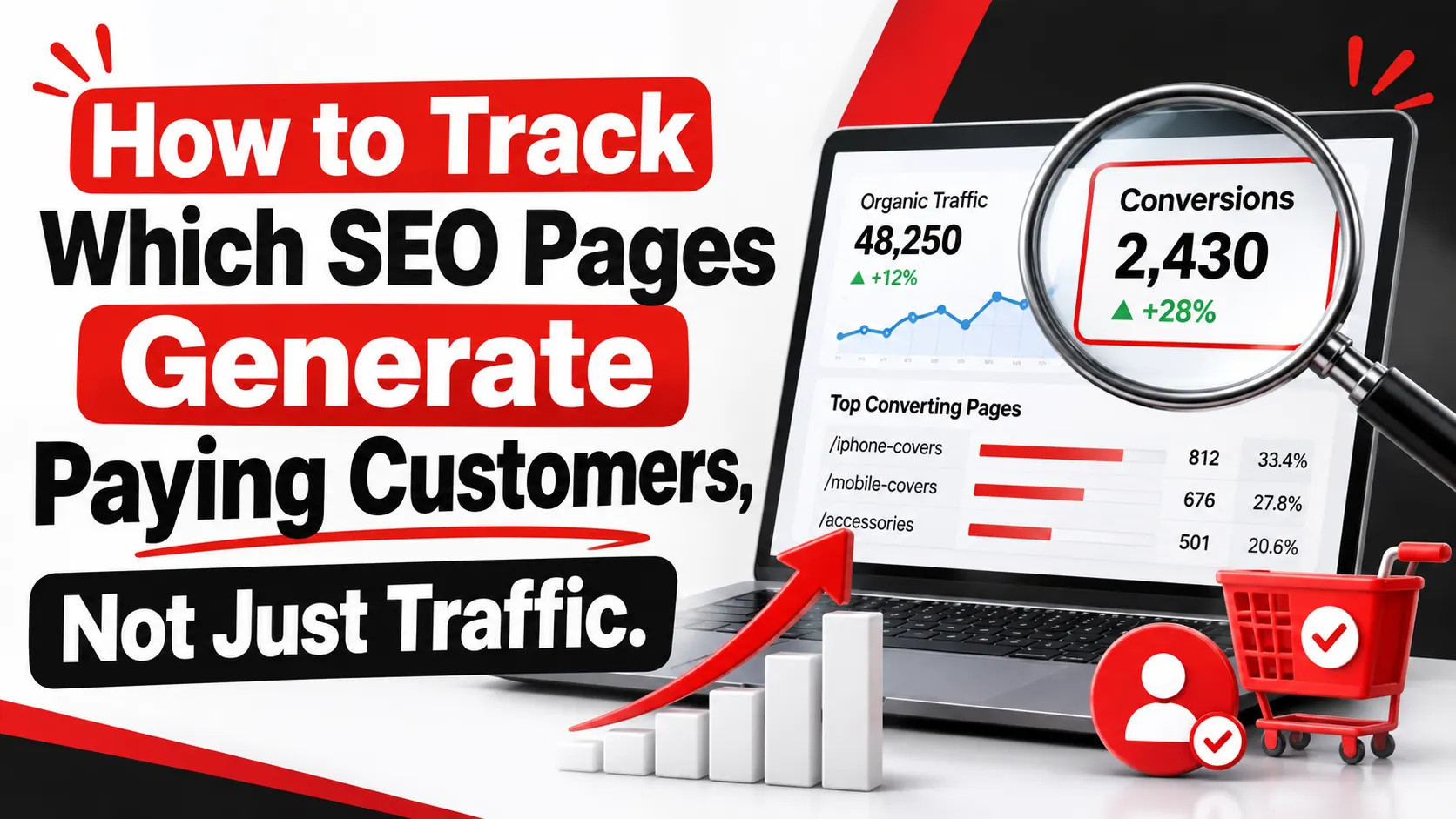
Organic traffic is easy to report and easy to celebrate. A chart that climbs month after month looks like proof that SEO is working. But a visit is not an enquiry, an enquiry is not a qualified lead, and a qualified lead is not a paying customer.
If you want to know how to track which SEO pages generate paying customers, you need to follow the full path: search visibility, website visit, form submission, sales conversation, closed deal, and revenue. Most businesses can see the first few steps in their analytics. Far fewer can connect those steps to the CRM records where sales actually live.
This guide walks through that process in eight practical steps, so you can see which organic landing pages earn their place and which ones only attract visitors.
Why Some SEO Pages Generate Traffic but Not Paying Customers
Search intent explains most of the gap. Someone searching "what is a managed IT provider" wants to learn. Someone searching "managed IT services for law firms" is closer to hiring. Both searches can send traffic to your site, but only one visitor is likely to book a call.
Informational pages often rank well and collect large audiences. That is useful for awareness, but these visitors may be students, competitors, or buyers months away from a decision. A high-ranking article can look successful in a traffic report while contributing very little to sales.
Page design matters too. A page may attract the right audience and still fail because the offer is unclear, the call to action is buried, the form asks for too much, or the content does not answer the questions a buyer has. Mobile layout, page speed, and trust signals such as testimonials, credentials, and clear pricing guidance all influence whether a visitor reaches out.
So the question is not "Which pages get the most visits?" It is "Which pages bring in people who become customers?"
Step 1: Identify Which SEO Landing Pages Attract Potential Customers
Start by listing your organic landing pages, meaning the first page a visitor sees when arriving from a search engine. In Google Analytics 4 (GA4), the Landing page report is available under Reports, in the Engagement section. Add a filter or comparison for organic search traffic so you see only visits from search engines.
Next, group pages by purpose. Blog posts, resource guides, service pages, location pages, and pricing or contact pages each play a different role. A simple spreadsheet column labelled "page type" is enough. Once pages are grouped, you can compare how a blog visit behaves against a service-page visit.
Then look for pages that produce enquiries, consultation requests, or phone calls, not just sessions. A page with 300 monthly visits and eight consultation requests deserves more attention than a page with 5,000 visits and none.
Traffic volume only shows reach. It says nothing about whether the audience is a good fit, which is why the next steps focus on outcomes.
Step 2: Set Up Google Analytics 4 to Track SEO Conversions
To track SEO conversions, you first need to decide what counts as one. Choose actions that represent real business intent: a successful form submission, a booked consultation, a quote request, or a click-to-call that you can verify. In GA4, these are marked as key events (the feature formerly called conversions). Check Google's current documentation, since GA4 terminology has changed over time.
Tie each key event to a completed action. Fire the event on the thank-you page or on the confirmation response from your form, not on the button click. A click only shows interest. A submission shows the enquiry actually arrived.
Then test. Use GA4's DebugView and Realtime report to submit a test form and confirm the event appears once. Duplicate firing is common when a thank-you page is reloaded or when both a plugin and a tag manager send the same event. Duplicates inflate your numbers and weaken every decision that follows.
Once events are working, review organic landing page performance by comparing key events, engagement, and conversion rates for organic traffic by page.
Implementation depends on your website platform, tag setup, and consent configuration. If visitors decline analytics cookies, some activity will not be recorded, so treat GA4 as a strong sample, not a perfect count.
Step 3: Use Google Search Console to Understand Organic Search Performance
Search Console shows what happens before the visit. Its Performance report covers four main measures: clicks (visits from Google results), impressions (times your page appeared in results), click-through rate (clicks divided by impressions), and average position.
Filter by page, then by query, to see which searches bring each landing page to the surface. This helps you judge intent. If a service page appears for "emergency HVAC repair" but your page is about installations, there is a mismatch to fix.
Combine this with your GA4 data. A page with many impressions, decent clicks, and almost no enquiries signals a conversion problem. A page with strong enquiries but few impressions signals an opportunity to improve visibility.
Be clear about the limits. Search Console reports search performance only. It does not know who filled in a form, who became a customer, or how much they spent. You can link Search Console to GA4 for combined reporting, but revenue still has to come from your CRM or sales records.
Step 4: Connect SEO Landing Pages to Your CRM and Paying Customers
This step separates reporting about traffic from reporting about revenue. When someone submits a form, capture the details of how they arrived and store them with the contact record. Typical fields include landing page, source, medium, and campaign values. Many teams do this with hidden form fields populated from the visit's URL parameters and referrer, or with a CRM's built-in tracking. Your developer or marketing operations lead can confirm which approach suits your setup.
Once the data is in the CRM, track the lead through its stages: new enquiry, qualified lead, opportunity, and closed deal. Record the deal value when the sale closes. Now you can report revenue by original landing page and source. This is the heart of CRM integration for SEO reporting.
Expect some friction:
- Returning visitors: A person may arrive from search, leave, return directly, and then submit a form. The CRM may record only the later visit.
- Longer sales cycles: B2B deals can take months, so revenue appears well after the first visit.
- Consent: Respect privacy laws and your own consent settings when storing tracking data.
- Offline steps: Phone calls and meetings need to be logged manually or through call tracking.
Step 5: Measure the SEO Metrics That Actually Matter to Revenue
Each metric answers a different question.
- Organic visitor-to-lead conversion rate: Leads from organic visits divided by organic visitors. Does this page persuade people to enquire?
- Qualified-lead rate: Qualified leads divided by total leads. Are enquiries a good fit?
- Lead-to-customer conversion rate: Customers divided by leads. Does the sales process close these leads?
- Revenue associated with organic acquisition: Total closed revenue from customers whose recorded source is organic search. What did organic search contribute?
- Customer acquisition cost (CAC): SEO spend divided by new customers acquired through SEO.
- SEO return on investment: (Revenue minus SEO cost) divided by SEO cost.
Some figures are directly measurable: visitors, leads, closed deals, and deal values. Others depend on rules you set. Qualified status depends on your definition. Revenue attribution depends on the attribution method. CAC and ROI depend on which costs you include, such as agency fees, content production, and software. Write down your assumptions so reports stay consistent from month to month.
Step 6: Understand SEO Attribution Across the Customer Journey
Attribution is how you assign credit to the touchpoints that led to a sale.
- First-touch attribution gives all credit to the first interaction, such as the blog post that introduced the buyer.
- Last-touch attribution gives all credit to the final interaction before conversion.
- Multi-touch attribution spreads credit across several interactions.
Consider a buyer who finds a guide on compliance software through search, returns two weeks later through a direct visit, reads a service page, and submits a form. First-touch credits the guide. Last-touch credits the direct visit or service page. Multi-touch recognises both pages helped.
No model is perfectly right. Attribution distributes credit according to a rule. It does not prove SEO caused a sale, and it cannot fully capture word of mouth, offline conversations, or other channels. Pick a primary model, review a second one for comparison, and be transparent about the difference.
Step 7: Find SEO Pages with the Greatest Revenue Potential
Once data is flowing, look for patterns that point to opportunity:
- High-traffic pages with low conversion rates: The audience exists, but the page is not turning interest into enquiries.
- Lower-traffic pages producing valuable customers: These may deserve more links, better internal promotion, and content expansion.
- Blog posts that assist conversions: Check whether readers later visit service pages and enquire.
- Pages attracting commercial-intent visitors: Queries containing words like "services," "cost," "company," or "near me" often signal buying interest.
Do not rank opportunities by data alone. A page that generates many small, low-margin leads may matter less than one that brings a few high-value clients. Combine performance data with business relevance: profit margin, capacity, strategic priorities, and the kinds of customers you want more of.
A simple scoring approach works well. Rate each page for traffic potential, conversion rate, customer value, and effort required, then start where the potential return is highest and the work is manageable.
Step 8: Turn SEO Data into a Practical Lead-Generation Strategy
Data only matters if it changes what you do.
Based on what you find:
- Improve calls to action: Match the next step to the visitor's intent. A guide might offer a checklist or assessment, while a service page should offer a consultation.
- Add contextual internal links: Link from informational articles to relevant service pages using descriptive anchor text, so interested readers have a clear path forward.
- Strengthen service pages with qualified traffic but few enquiries: Clarify the offer, add proof, shorten the form, and answer common objections.
- Update content that attracts the wrong audience: Refocus the page or create a separate resource for that audience.
- Prioritise by customer value: Put effort where a successful page would bring in the most valuable customers, not simply the most visitors.
Review results monthly and revisit changes after enough time has passed to see a real effect. If you need help with the technical side, an SEO audit can reveal tracking gaps and underperforming pages.
Practical Example: How to Identify SEO Pages That Generate Paying Customers
The figures below are invented for illustration. They are not real client results.
Imagine a B2B consulting firm with an average closed deal of $5,000.
|
Metric |
Blog post |
Service page |
|
Organic visitors |
8,000 |
1,200 |
|
Leads |
40 |
36 |
|
Customers |
4 |
12 |
|
Visitor-to-lead rate |
0.5% |
3.0% |
|
Lead-to-customer rate |
10% |
33.3% |
|
Revenue |
$20,000 |
$60,000 |
|
Revenue per visitor |
$2.50 |
$50.00 |
Calculations: 40 ÷ 8,000 = 0.5%; 4 ÷ 40 = 10%; 4 × $5,000 = $20,000. For the service page: 36 ÷ 1,200 = 3.0%; 12 ÷ 36 = 33.3%; 12 × $5,000 = $60,000.
The blog post has almost seven times the traffic but produces a third of the revenue. The next step would be to check whether the blog post assists service-page enquiries and improve its path to the service page.
Common SEO Revenue Tracking Mistakes to Avoid
- Counting every form submission as a qualified lead: Spam, job seekers, and vendors inflate numbers.
- Treating button clicks as completed enquiries: A click is not a submission.
- Ignoring returning visitors and assisted conversions: You may undervalue pages that start the journey.
- Relying on incomplete or duplicated data: Test events and audit them regularly.
- Giving SEO all the credit: Paid ads, email, referrals, and offline activity may also have contributed.
Frequently Asked Questions About SEO Revenue Tracking
How Can I Track Which SEO Pages Generate Paying Customers?
Capture the landing page and source when a lead submits a form, store them in your CRM, and attach deal revenue when the sale closes. Then report revenue by original landing page.
Can Google Analytics 4 Track Revenue from Organic Search?
Yes, for online purchases when e-commerce or purchase events with values are implemented. For lead-generation businesses, revenue usually closes offline, so you need CRM data or an import process to connect it.
How Do I Connect SEO Data with CRM Records?
Pass source and landing-page values into hidden form fields or use your CRM's native tracking, then map them to contact or deal records. Your setup will determine the exact method.
Which SEO Metrics Matter Most for Lead Generation?
Visitor-to-lead rate, qualified-lead rate, lead-to-customer rate, revenue by landing page, CAC, and SEO return on investment.
How Long Does It Take to Measure SEO ROI?
It depends on your sales cycle. Early indicators such as qualified leads may appear within a few months, while closed revenue for longer B2B cycles may take longer to show.
Conclusion: Measure SEO Success by Customers and Revenue, Not Just Traffic
Knowing how to track which SEO pages generate paying customers comes down to four habits: reliable conversion tracking in GA4, Search Console analysis, CRM integration that carries landing-page data through to closed deals, and regular optimisation of the pages that matter most. Traffic still has value, but it becomes far more useful when you can tie it to enquiries, customers, and revenue.
Find Out Which SEO Pages Generate Qualified Leads for Your Business
If your reports show traffic but you cannot say which pages produce customers, Ingenious HiTech can help. We offer an SEO performance and conversion tracking assessment for US businesses. It looks at your landing pages, GA4 and Search Console setup, form and CRM tracking, and the gaps that hide your real results.
The assessment can highlight underperforming pages, tracking problems, and opportunities to improve the quality and number of enquiries. We do not guarantee rankings, revenue growth, or specific results, but we can give you a clearer picture of what is working. Contact us to discuss your SEO measurement challenges.